Learn
Bite-sized videos (1-2 minutes each) to learn about core features.
You can start with the 1 minute Demo >>
Impact Analysis
Evaluate how changes in inputs impact the output.
Scenarios - Standalone
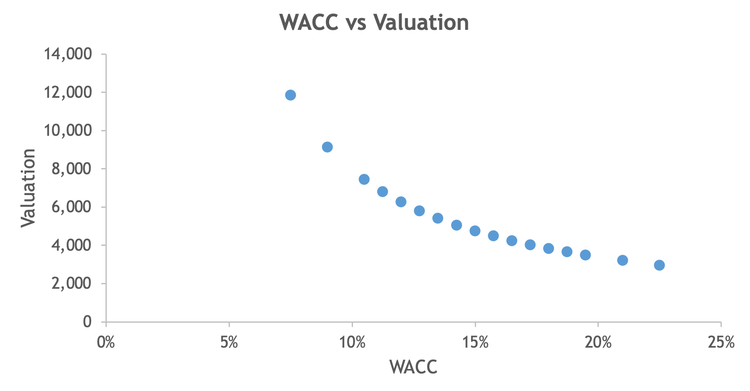
Increase/decrease inputs to evaluate the impact on output.
Scenarios - Custom Percents
Add custom input percent changes and evaluate the impact on output.
Scenarios - Custom Values
Add custom input values and evaluate the impact on output.
Scenarios - Monte Carlo
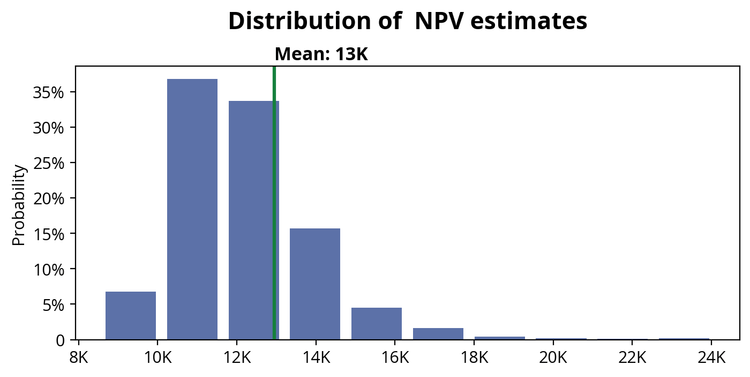
Run 1,000+ scenarios to quantify uncertainty and predict outcomes.
Sensitivity Analysis
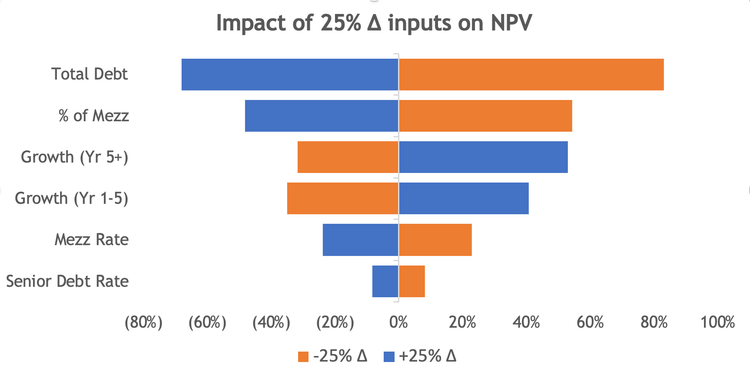
Create automatically sorted sensitivity charts to rank the main drivers of output.
What If - Find Any (Dynamic Goal Seek)
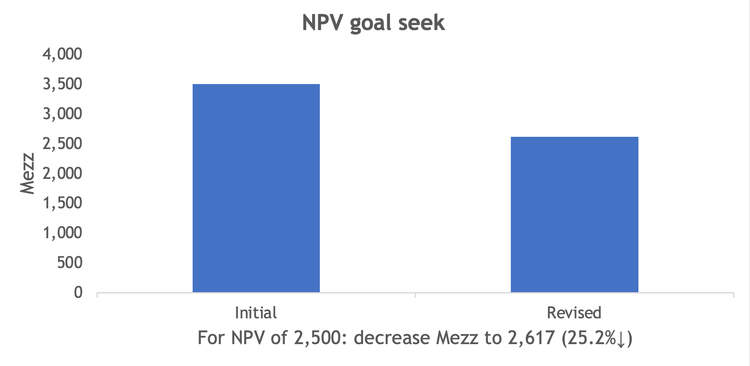
Run goal seek on any cell (including formula cells).
What If - Break Even
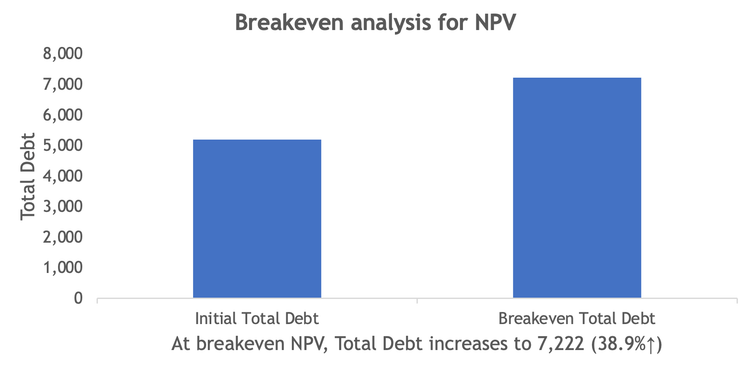
Run goal seek to find the input value that makes the output break even.
What If - Increase Output
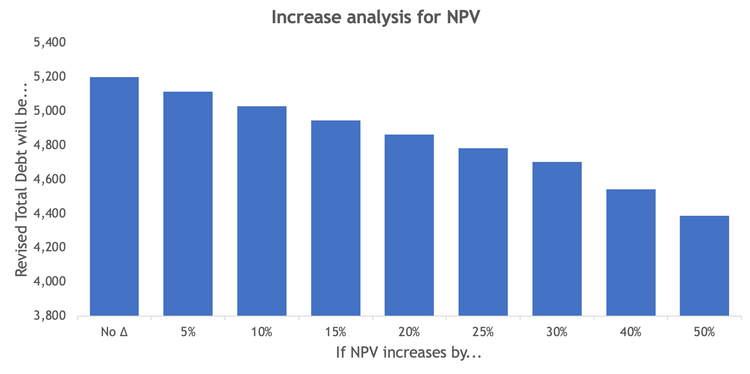
Run goal seek on input values that increase output in preset steps (e.g. +5%, +10% etc).
What If - Decrease Output
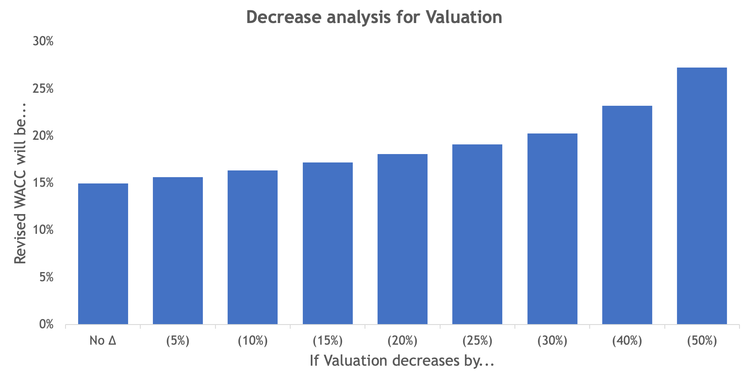
Run goal seek on input values that decrease output in preset steps (e.g. -5%, -10% etc).
Optimize - Scenarios
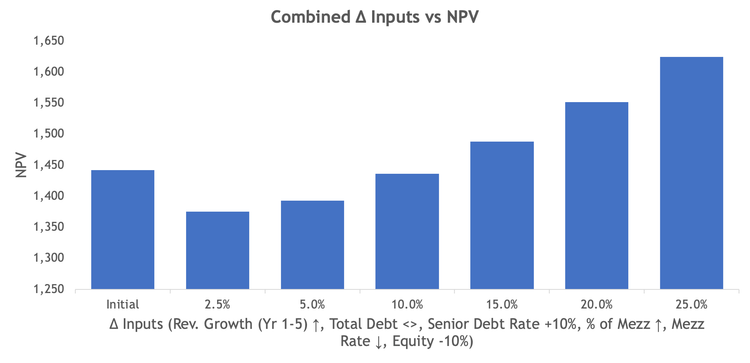
Increase/decrease inputs jointly to evaluate the impact on output.
Optimize - What Ifs (Combined Goal Seek)
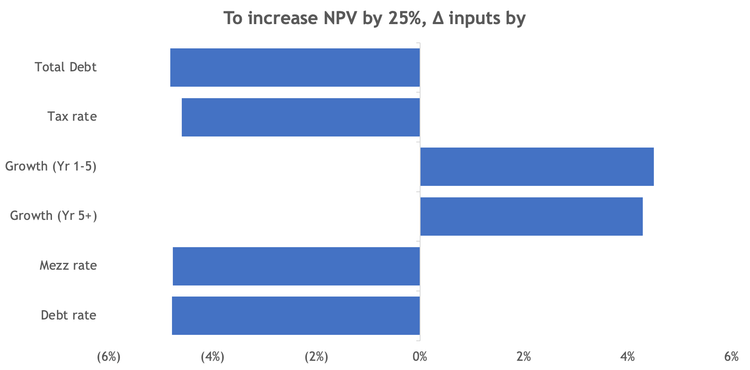
Run goal seek on several cells simultaneously (i.e. optimize).
Data Tables
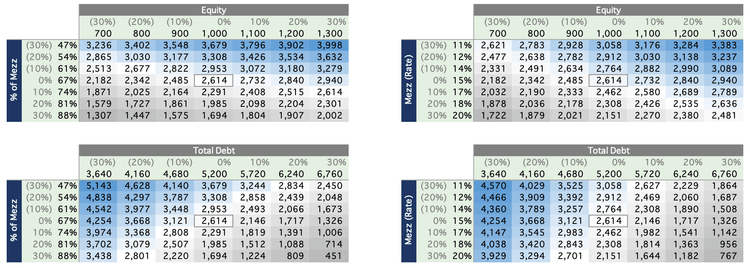
Create many data tables quickly without slowing down Excel.
Series Analysis
Analyze data series, extract insights and trends.
Aggregate Financials
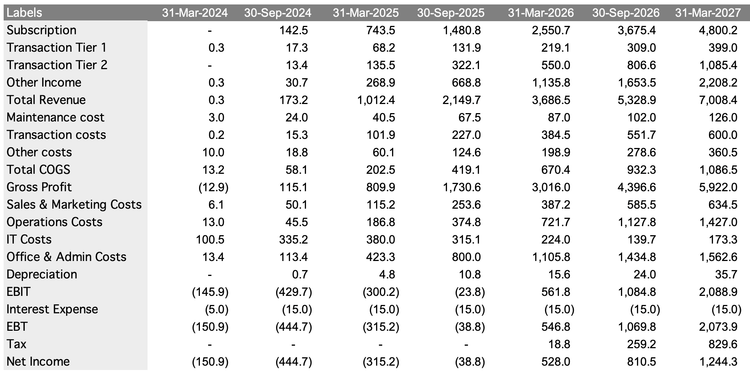
Aggregate Financials (sum, last...) to Q end, HY end (Jun/Dec or Mar/Sep), and Y end (Mar/Jun/Sep/Dec).
Aggregate Time Series
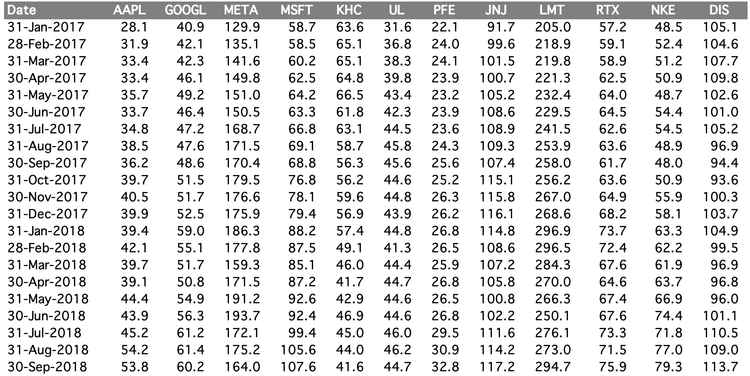
Aggregate Time Series to M end, Q end, HY end (Jun/Dec or Mar/Sep), and Y end (Mar/Jun/Sep/Dec).
Summary Statistics
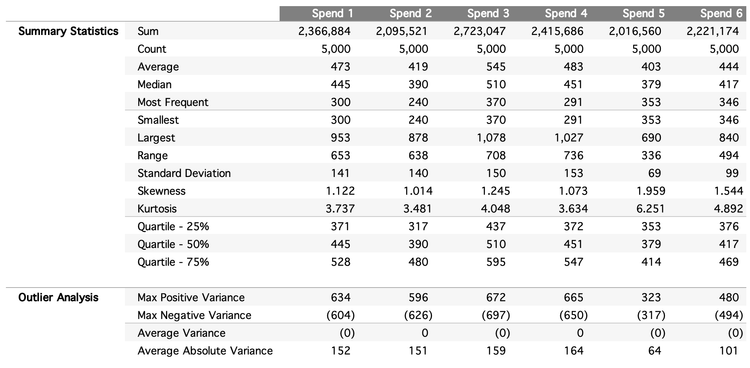
Evaluate summary statistics (average, std, min, range, skew, kurtosis...) for series.
Pareto Analysis
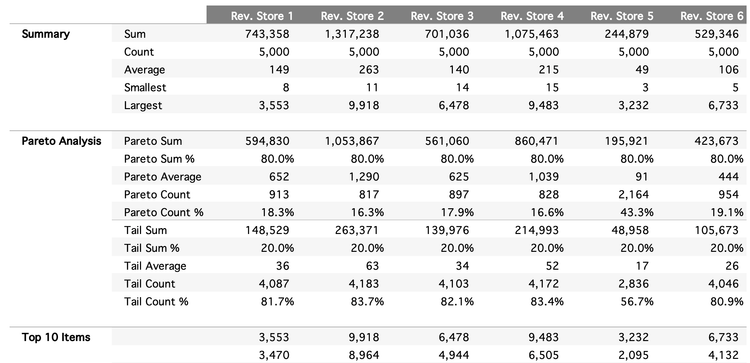
Evaluate Pareto (sum, average, count...) at specific thresholds (70%, 80%...) for series.
Correlation Matrix
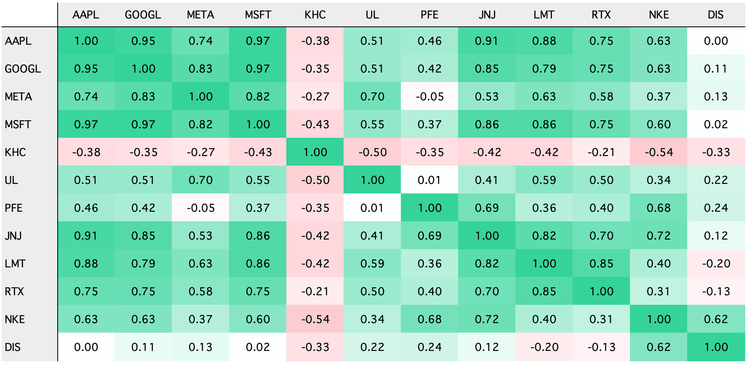
Evaluate the correlation between series.
Seasonality and Trend
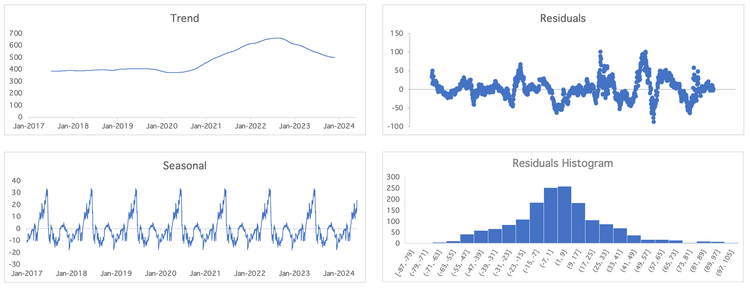
Extract seasonality and trend from a series.
Fit Distribution
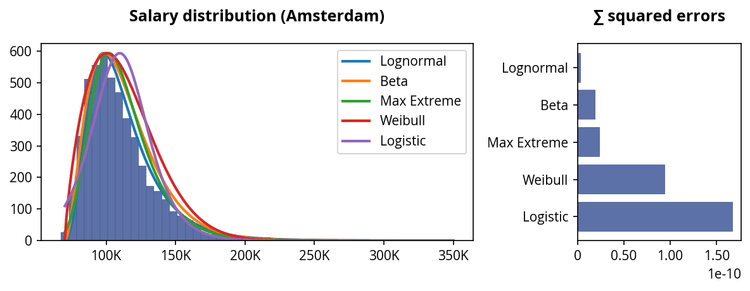
Find the distribution that best fits a series.
Charts
Visualize complex [financial] data in a more intuitive way.
Financial Series
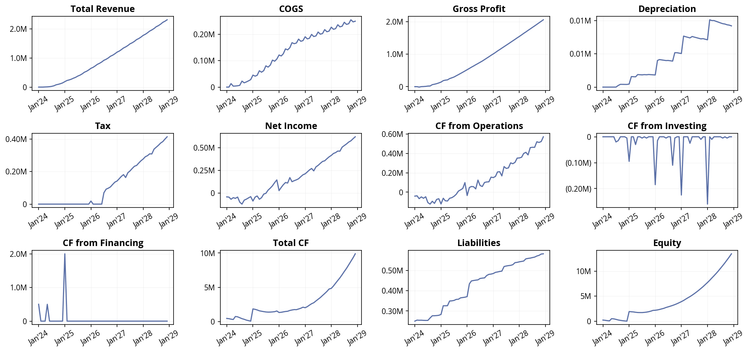
Visualize model line items to identify trends, outliers or errors.
Time Series
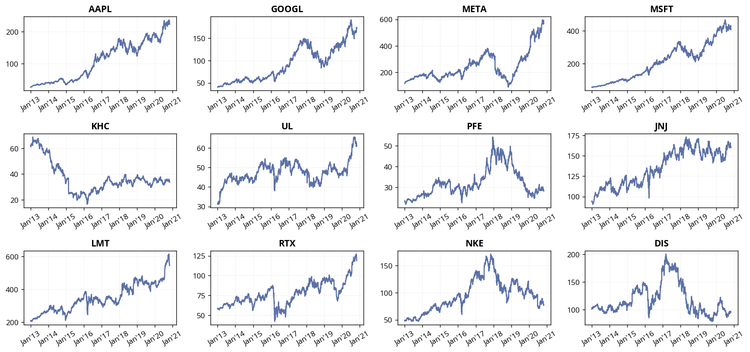
Visualize time series to identify trends or outliers.
Histograms
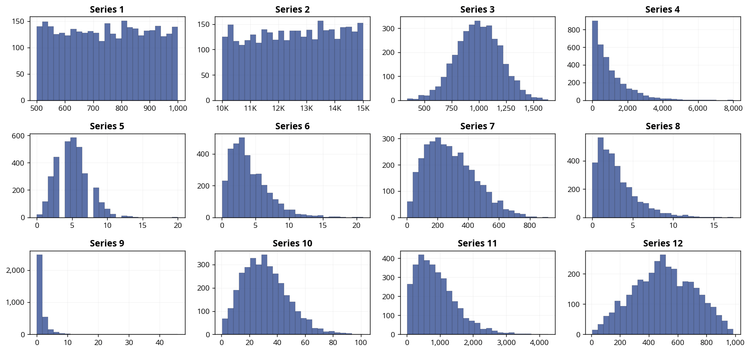
Visualize the distribution of various series as histograms.
Treemap (Weighted)
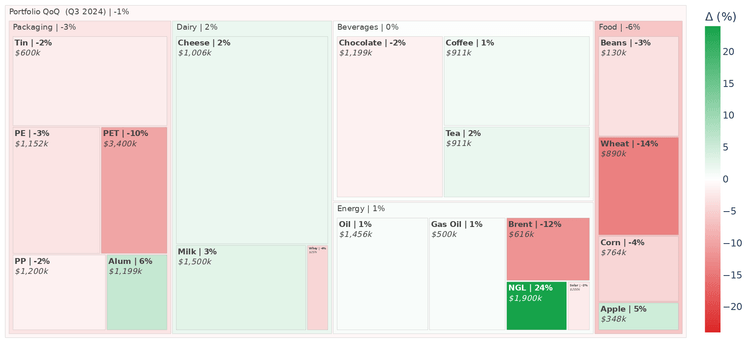
Visualize the weighted impact of line items and categories on the total.
Bubble Plot (Grouped)
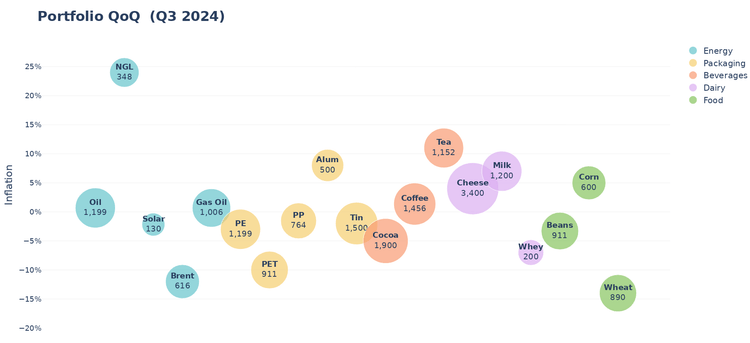
Visualize the impact of line items and group them by categories.
Assurance
Complete your quality checks in minutes with Fontic's visual assurance tools.
Highlight
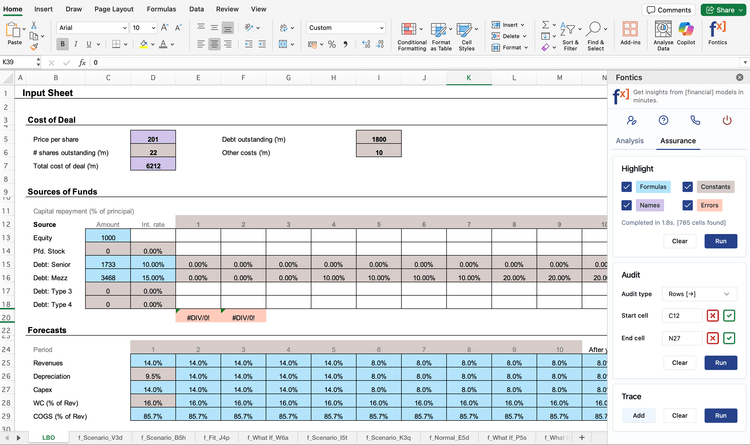
Highlight formulas, constants, named cells and errors.
Audit
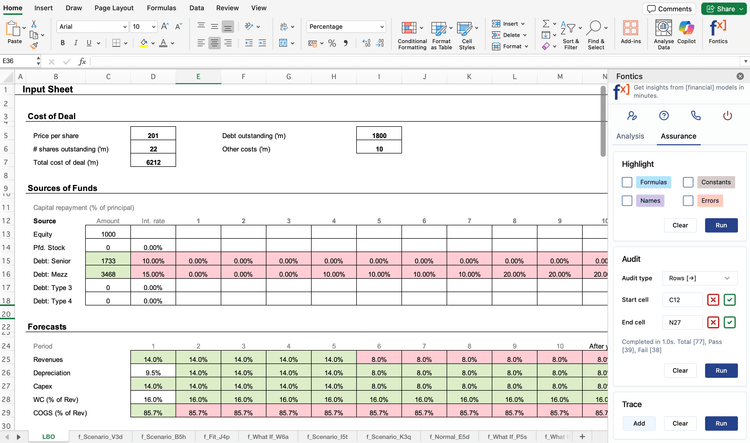
Audit formula consistency across rows and columns.
Trace
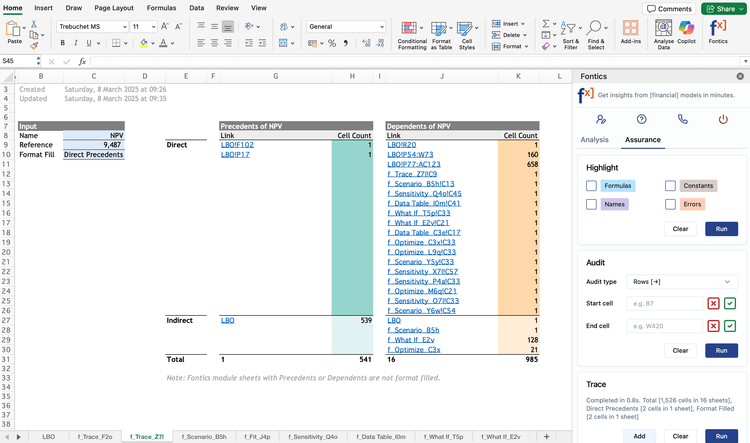
Trace precedents and dependents in a more intuitive way.
Monte Carlo - Standalone
Run 1,000+ scenarios to quantify uncertainty and predict outcomes.
Normal
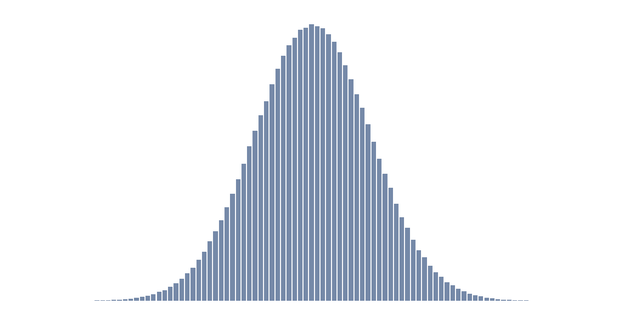
Applied in finance for modeling asset returns, in quality control for process variations, and in business for forecasting demand.